
← All posts
Web
iOS
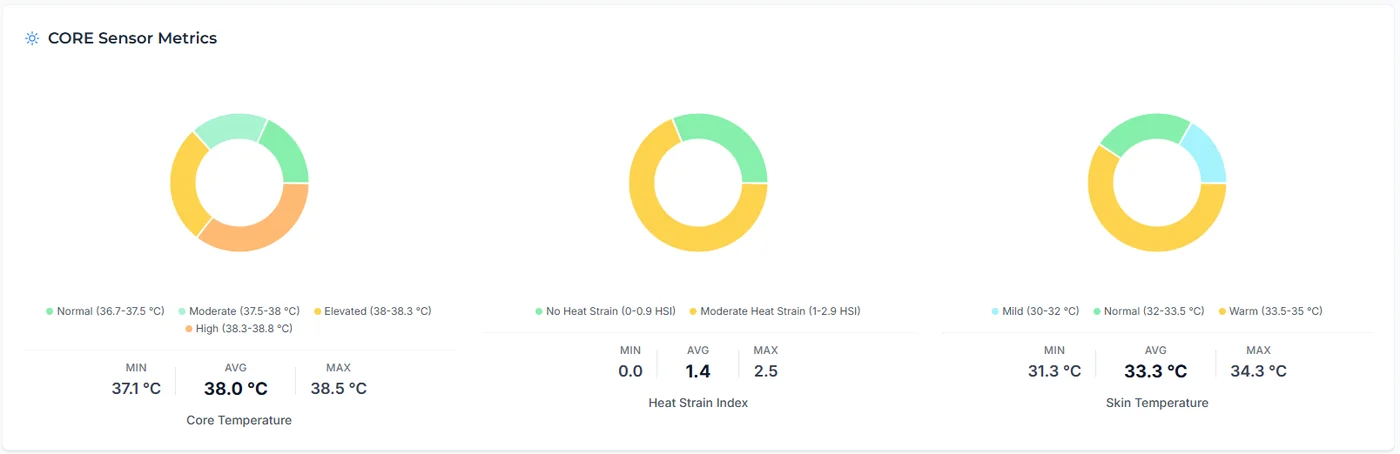
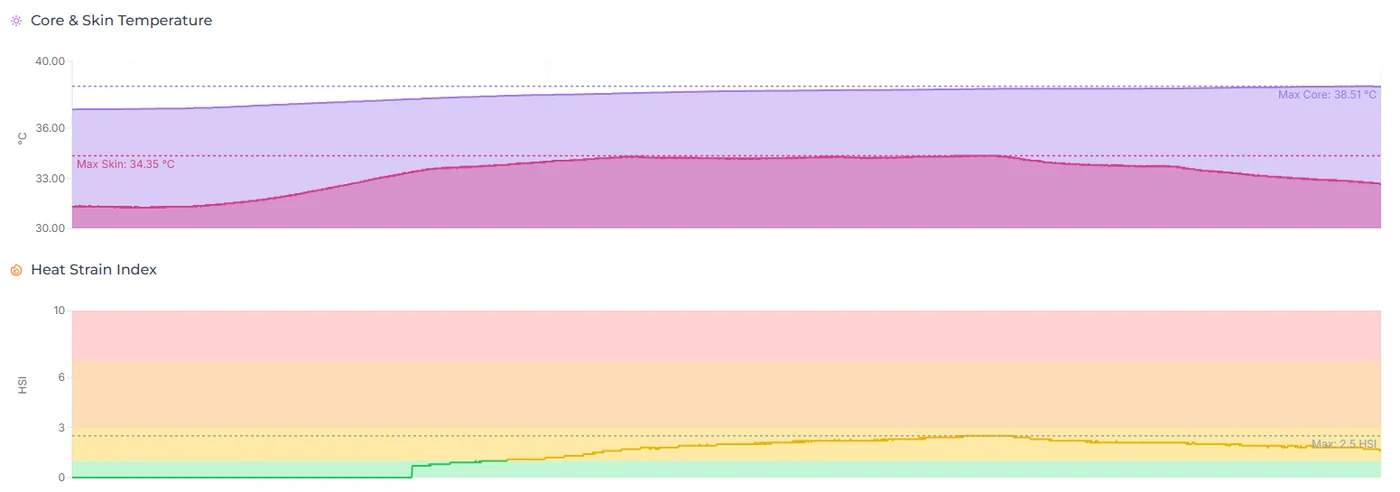
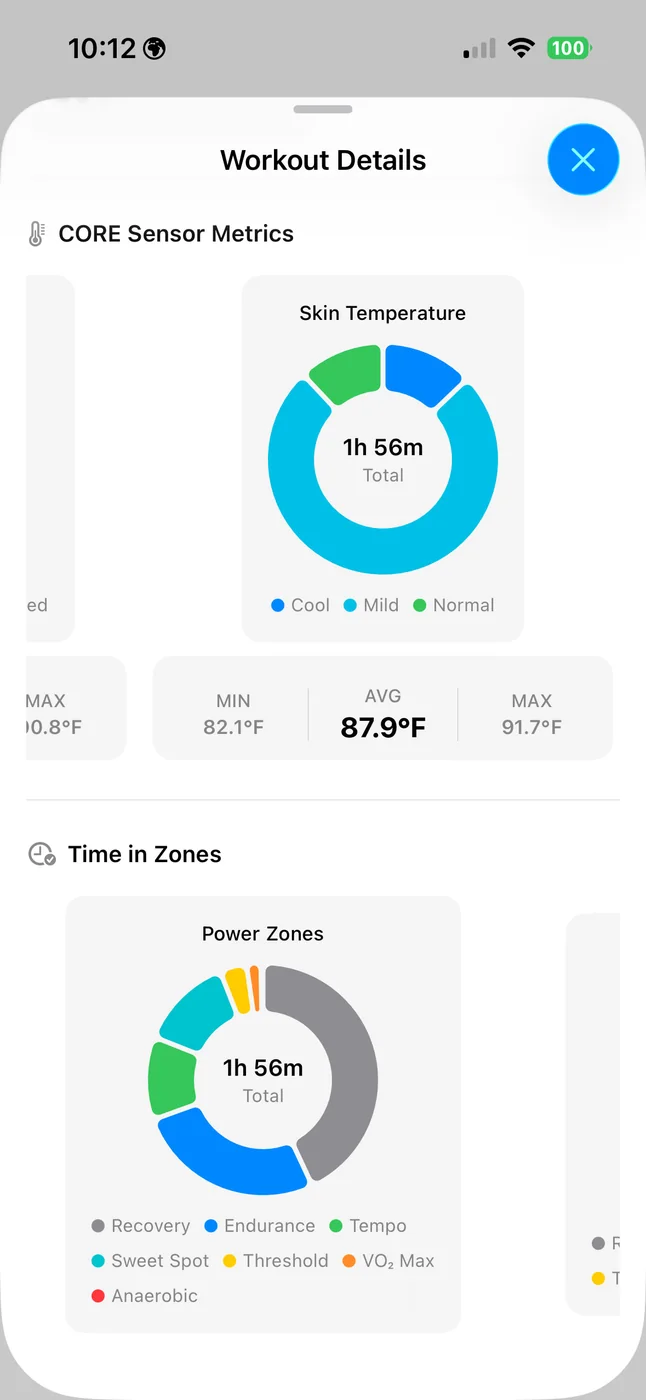
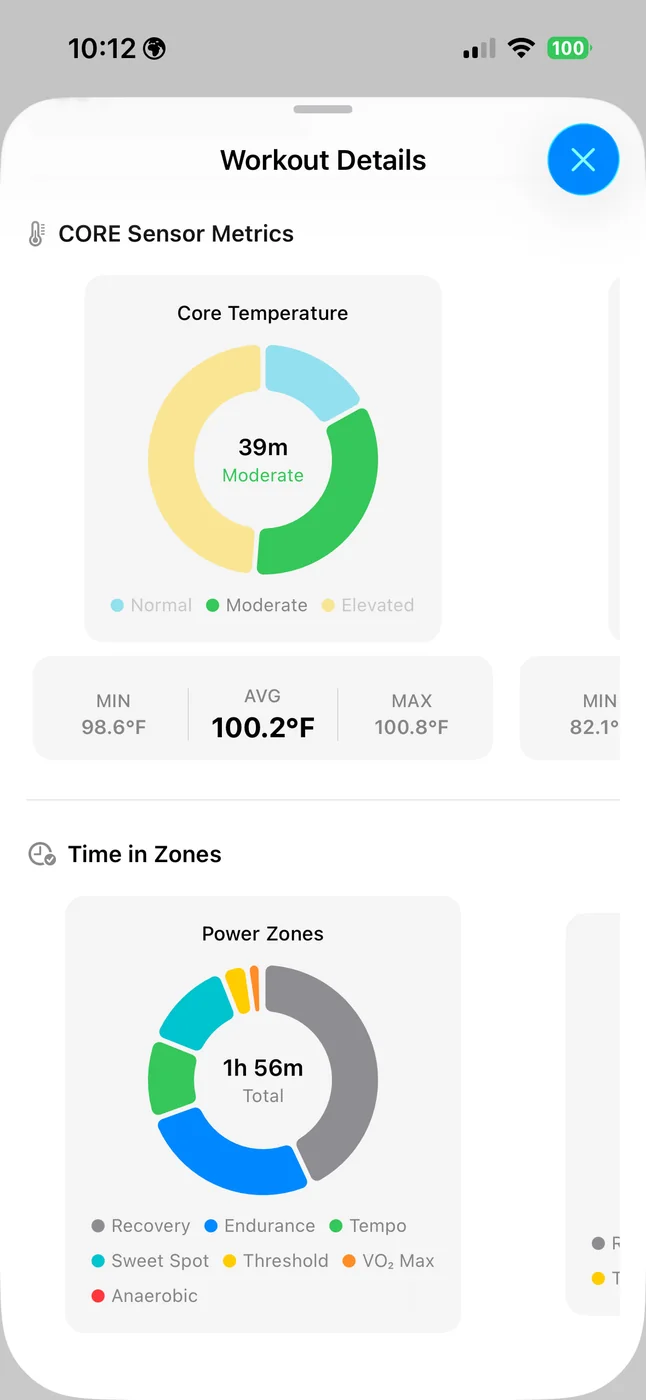
Tempo now fully supports CORE body temperature sensor data recorded in FIT files. When you sync or upload a ride that includes CORE sensor data, Tempo extracts and displays three metrics: Core Body Temperature, Skin Temperature, and Heat Strain Index. Each metric gets its own time-in-zone donut chart, min/avg/max summary stats, and a timeline trace on the workout detail screen.
Zone systems are purpose-built for CORE data — 6 zones for core body temperature (Low through Very High, from < 36.7 °C to ≥ 38.8 °C), 6 zones for skin temperature (Cool through Very Hot), and 4 zones for Heat Strain Index (No Strain through Extremely High). All temperature values respect your preferred units (°C or °F).
If you record with Garmin or Wahoo devices paired to a CORE sensor, workouts sync automatically through your existing Garmin Connect or Wahoo account connection. If you use other recording hardware or software, you can manually upload FIT files containing CORE data for the same analysis.
Heat is one of the biggest hidden stressors in training — it silently increases cardiac drift, accelerates glycogen depletion, and compounds fatigue. With CORE data in Tempo, you can see exactly how hot you ran during a ride, how long you spent in elevated zones, and whether your body was managing heat effectively. Over time, this helps you plan around weather, gauge heat adaptation progress, and avoid pushing into dangerous territory on hot days.
Open any workout that was recorded with a paired CORE sensor. Scroll to the CORE Sensor Metrics section to see donut charts and summary stats for core temperature, skin temperature, and heat strain. On the timeline chart, core and skin temperature traces appear alongside your other ride data.
To get CORE data into Tempo: connect your Garmin or Wahoo account in Settings -> Integrations for automatic sync, or use Upload to import a FIT file directly.
Note: CORE metrics only appear when the FIT file contains CORE sensor data (core_temperature developer field or equivalent). Rides without a paired CORE sensor will not show this section.
More about the sensor itself: CORE.