← All posts
Web
iOS
AI
Until now every Tempo athlete trained on the same zones: Coggan's seven power zones and five heart rate zones. They are a good default, but they are not the only model, and a coach or a lab test often hands you something different. Your zones are now yours to set.
On the web, Profile → Training has a Power Zones card under your FTP and a Heart Rate Zones card under your thresholds. Each names the preset in use and has its own Edit button.
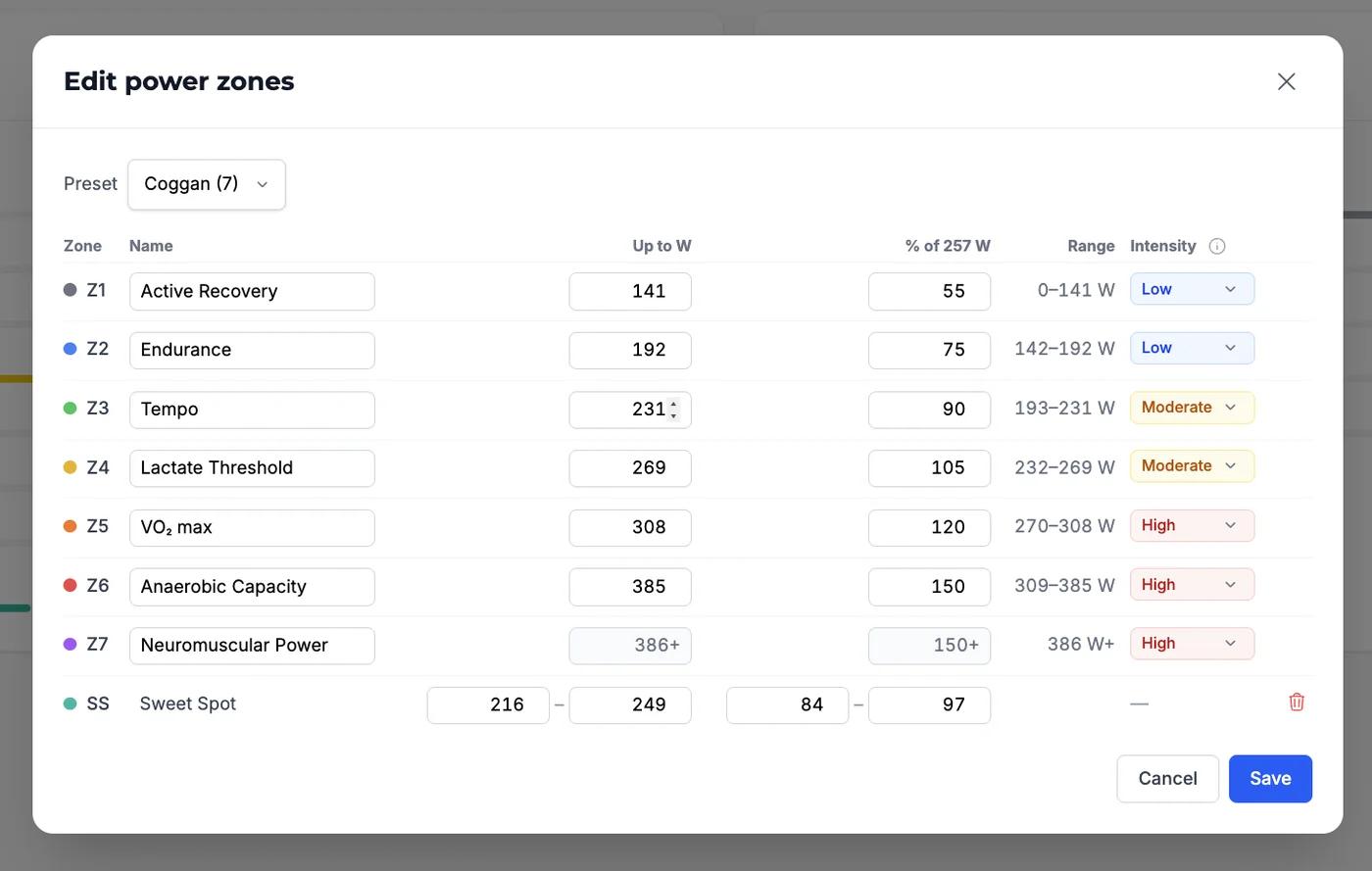
Edit power zones offers three starting points: Coggan (7), Friel (6) and Custom. Every row can be renamed, and its upper limit can be typed either in watts or as a percent of your FTP; the other field and the range follow. Each zone also carries an Intensity of Low, Moderate or High, which is the band Reports groups it under. The Sweet Spot band has its own row, 84–97% of FTP by default, and can be moved or removed.
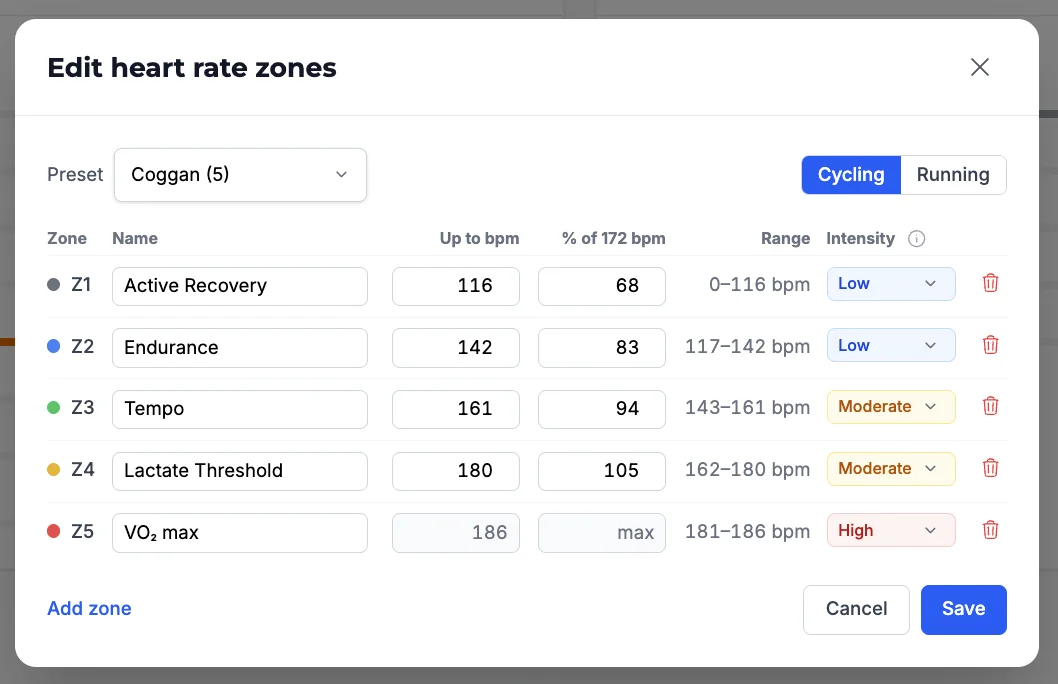
Edit heart rate zones offers Coggan (5), Friel 2009 cycling (7), Friel 2025 (6) and Custom. You type limits in bpm and Tempo stores them as a percent of your threshold heart rate, so one set of zones serves both sports: a Cycling / Running switch shows the same zones at each sport's own threshold.
A zone set can have from three to seven zones, so a simple three-zone model works as well as a detailed seven-zone one.
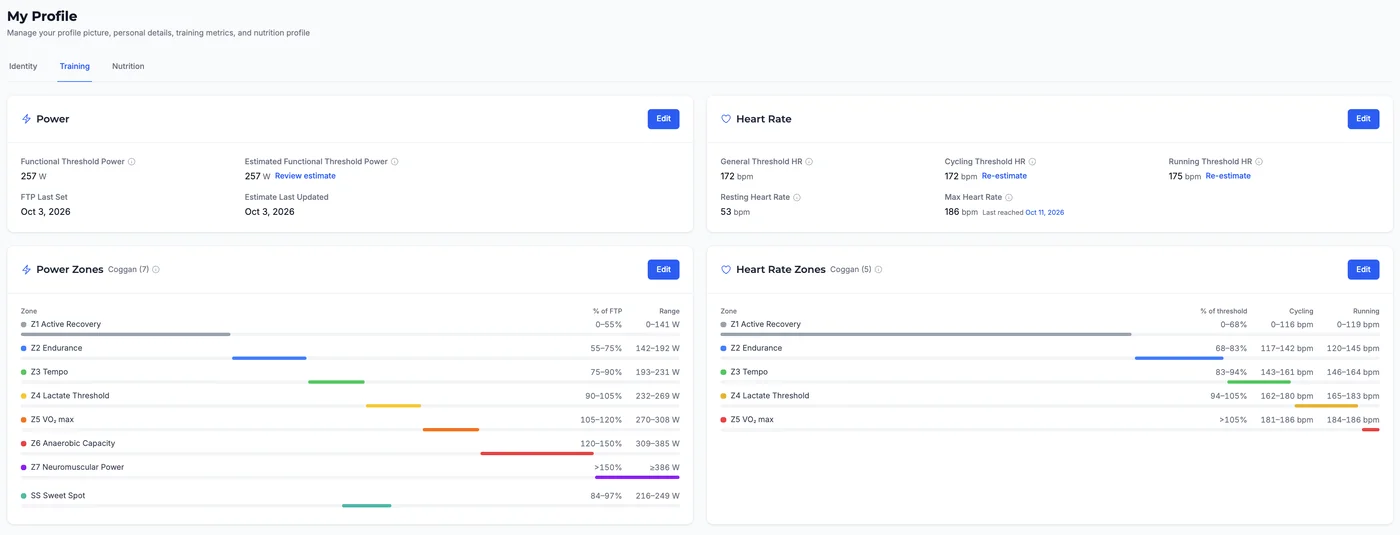
Once saved, your zones are used wherever Tempo names a zone: the time-in-zone charts on a workout, the zone badges on its Intensity, laps and segments, and the intensity bands in Reports. A connected AI assistant reads the same zones, so the targets it prescribes match what you see.
Workouts already in Tempo keep the zones they were analyzed with. To apply new zones to an older ride, use Reprocess on that workout.
If you have custom heart rate zones and later change the threshold they are anchored to, Tempo asks whether to keep the zones at the same bpm or scale them with the new threshold, rather than deciding for you.
Zones are only useful when they match the way you train. If your coach prescribes Friel's zones, or you train to a polarized three-zone model, a ride described in Coggan's terms takes translating every time. With your own zones, an hour in "Z2" in Tempo means the Z2 you and your coach mean.
On the web, open Profile → Training, click Edit on Power Zones or Heart Rate Zones, choose a preset or adjust the rows, and Save. Nothing changes until you do: accounts stay on the Coggan defaults.
On iOS, version 1.30 shows the zones you set on the web on your profile and in every workout's time in zones, badges and lap colors. Editing is on the web for now.