← All posts
Web
AI
If you ride with a CORE body temperature sensor, Tempo now computes a Heat Load score for every workout that carries core temperature data. Heat Load adds up your Heat Strain Index across the whole session, anchored so that one hour at the very top of the strain scale scores 100 — an hour of genuinely hard thermoregulation lands near 30, and a long day in the heat can pass 60.
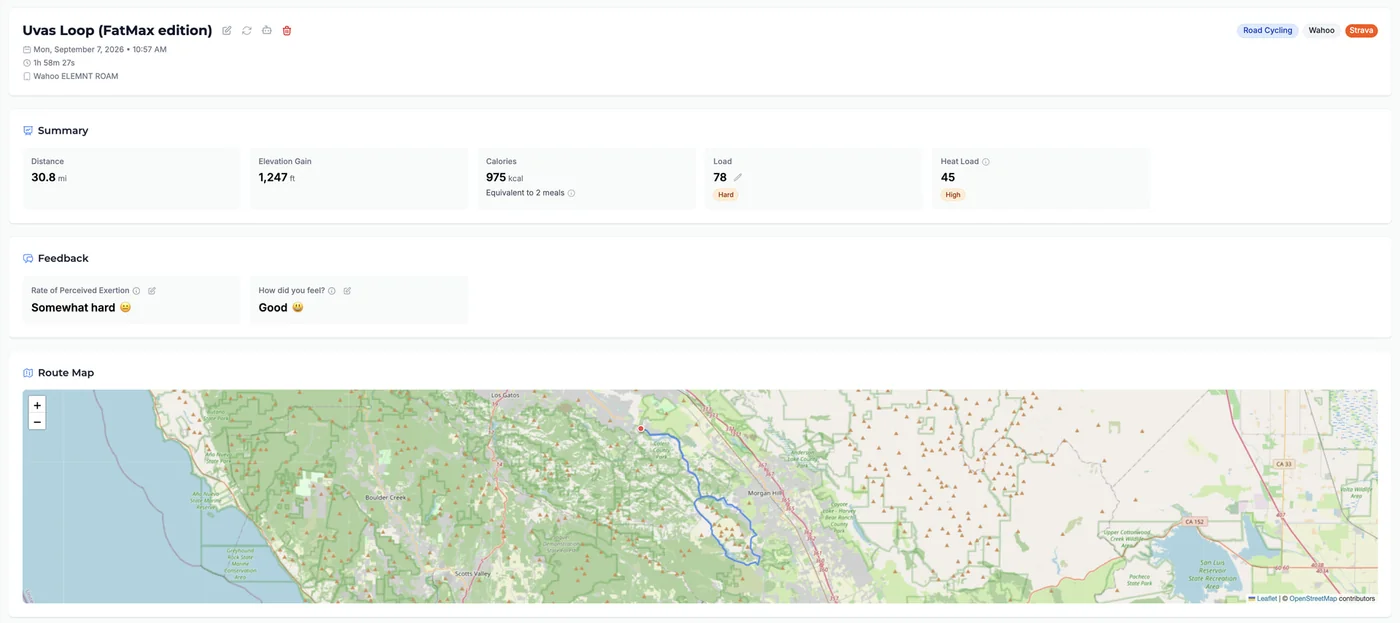
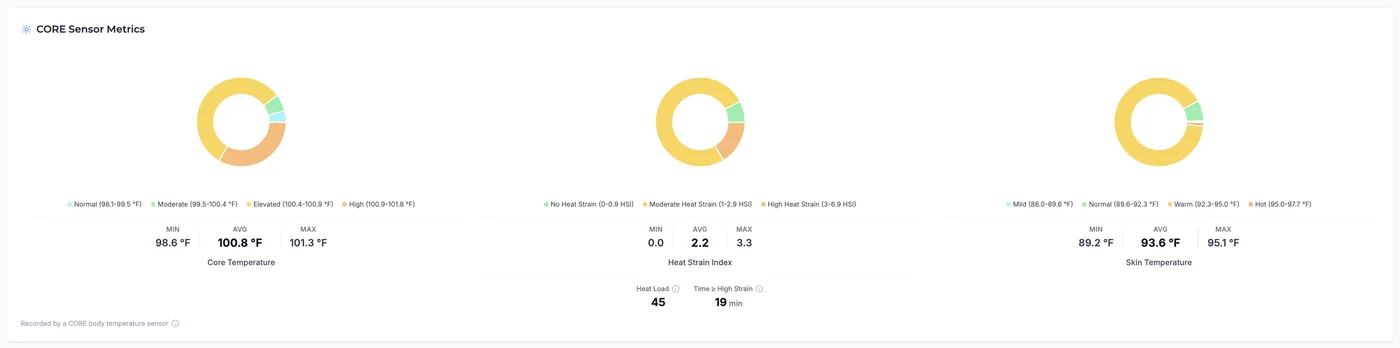
It appears in the Summary card on the workout detail page, beside Load and deliberately as a peer rather than an adjustment to it, with a classification badge on the same green→red palette as the heat strain zone chart: Minimal (< 15), Moderate (15–29), High (30–59), Extreme (60+). The CORE Sensor Metrics card lower on the page shows the same figure next to the strain zone chart it came from, along with Time ≥ High Strain.
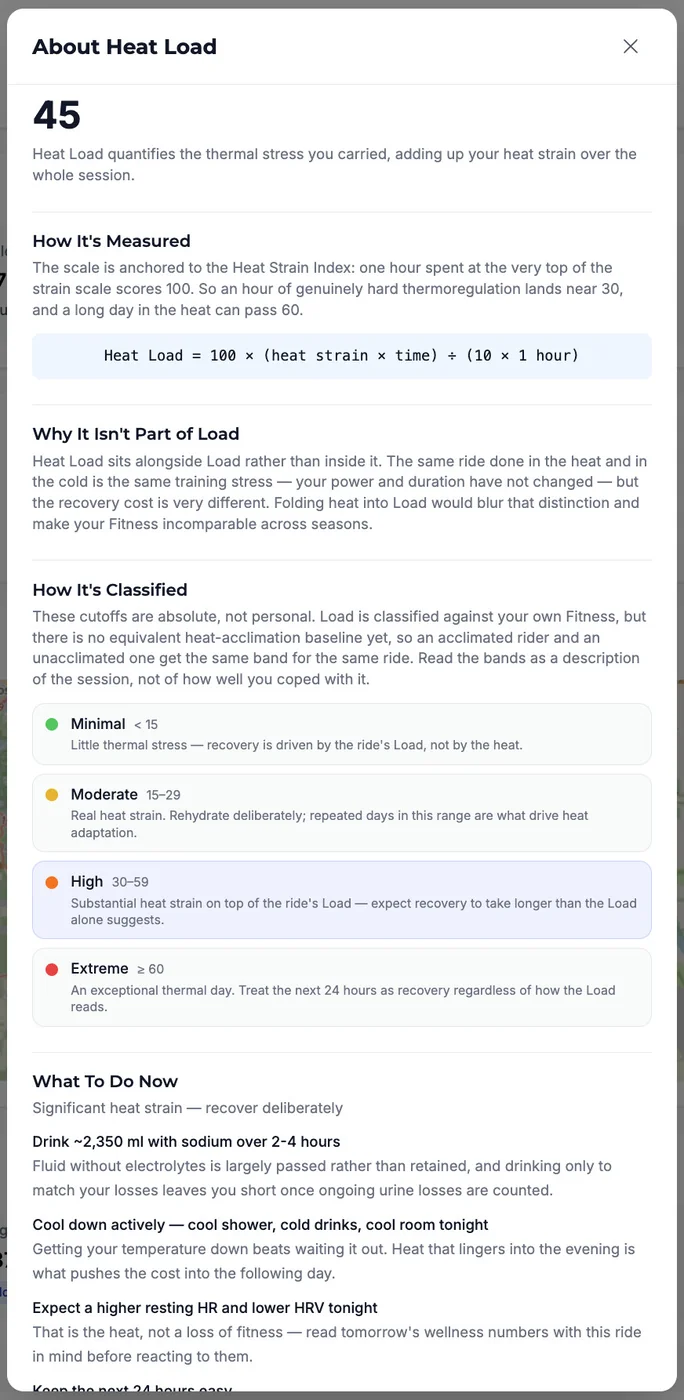
Click the tile to open About Heat Load: what the number means, the formula, why heat is kept out of Load, and What To Do Now — recovery steps for that specific ride, each an instruction paired with the reason behind it. How much fluid to drink back with sodium (personalized from your measured sweat rate when Tempo has one), when to cool down, what to expect from tonight's resting HR and HRV, and how hard to ride tomorrow. Steps appear when the session earns them, on heat load or on 20+ minutes at high strain, so a short but brutally hot effort surfaces advice too.
Heat Load travels beyond the page as well: it shows up in your Strava description with the other thermal metrics and in workout details fetched by a connected AI assistant over MCP — with an explicit instruction never to describe it as part of your mechanical Load.
Two rides at the same power and duration carry the same Load, but the one done at 95 °F / 35 °C costs far more to recover from. That gap is missing from Load on purpose — folding heat into Load would double-count on heart-rate-derived workouts and make your Fitness incomparable across seasons — so without a separate number you are left guessing why your legs are flat and your HRV is down the next morning. Heat Load names the stress, and the guidance acts on it in the window where it still changes the outcome: the few hours after the ride, when rehydration and active cooling decide how much of the cost carries into tomorrow. It also shows when heat is working for you — repeated days in the Moderate range build plasma volume and an earlier, heavier sweat response over one to two weeks, which is adaptation, not overreach.
Open Workouts, select a ride recorded with your CORE sensor, and look for the Heat Load tile in the Summary card. Click it to open About Heat Load and scroll to What To Do Now.
With Tempo connected to Claude or ChatGPT, you can also ask: "How much heat strain did Saturday's ride carry, and should I change Sunday?"
Note: Heat metrics need a CORE body temperature sensor and a FIT file to reach Tempo, so they appear for workouts synced from Garmin, Wahoo or Hammerhead, or uploaded directly. Strava's API does not carry core temperature or heat strain, so rides that arrive that way show no heat data even when you were wearing the sensor. The classification badge requires a Premium subscription; the Heat Load number and the recovery steps are visible to everyone.