← All posts
Web
iOS
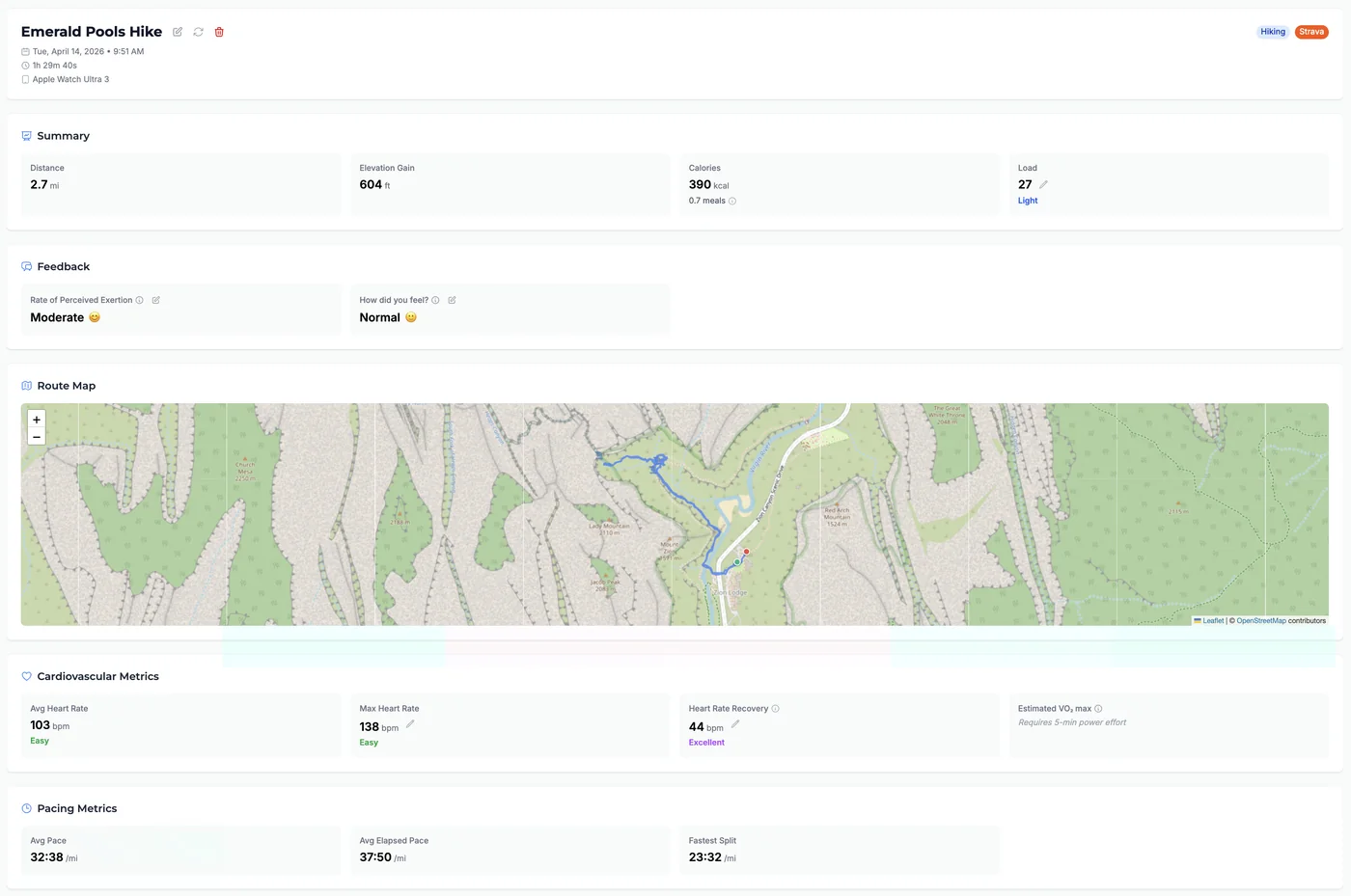
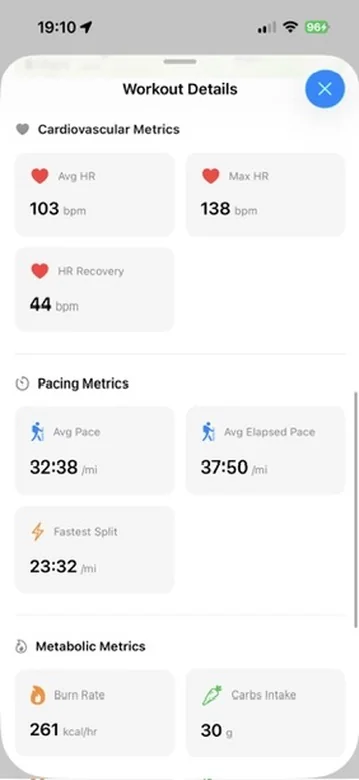
Tempo now shows a dedicated Pacing Metrics section when you open a running, walking, or hiking workout. It includes Avg Pace (moving time only), Avg Elapsed Pace (total time including stops), Fastest Split (best sustained pace over a full km or mile), and Avg Cadence (steps per minute, when available). All values respect your preferred units (min/mi or min/km). On iOS, tap any metric card for a plain-language explanation of what it measures.
You can compare moving pace vs. elapsed pace to see how much stopped time affected your overall effort, spot your fastest split without scrubbing through a timeline, and track cadence trends across workouts – all without leaving the workout detail screen.
Open any completed run, walk, or hike in Tempo. Scroll down past Cardiovascular Metrics to the Pacing Metrics section. On iOS, tap any metric card to see a tooltip describing how it’s calculated.