← All posts
Web
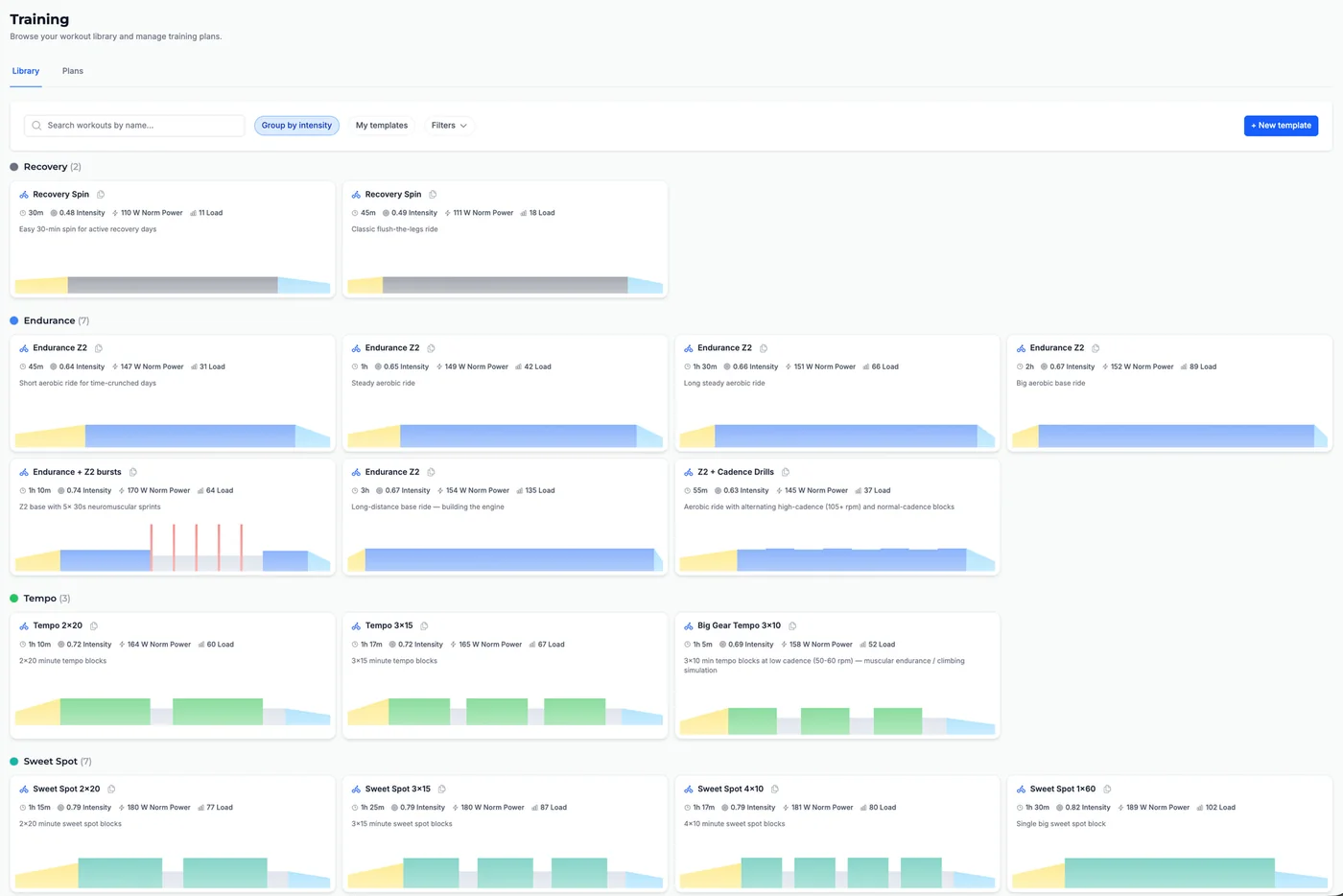
The Training page now includes a Library tab where you can browse interval workout templates in one place. The library mixes starter templates (shared, read-only workouts everyone can use) with your own templates (ones you create or clone and customize).
Each template appears as a card with the workout type icon, name, duration, Intensity, Norm Power, and estimated Load, plus a small interval preview chart at the bottom so you can see the structure before you use it. Starter templates show a Clone to my library action; your templates show Edit and Delete.
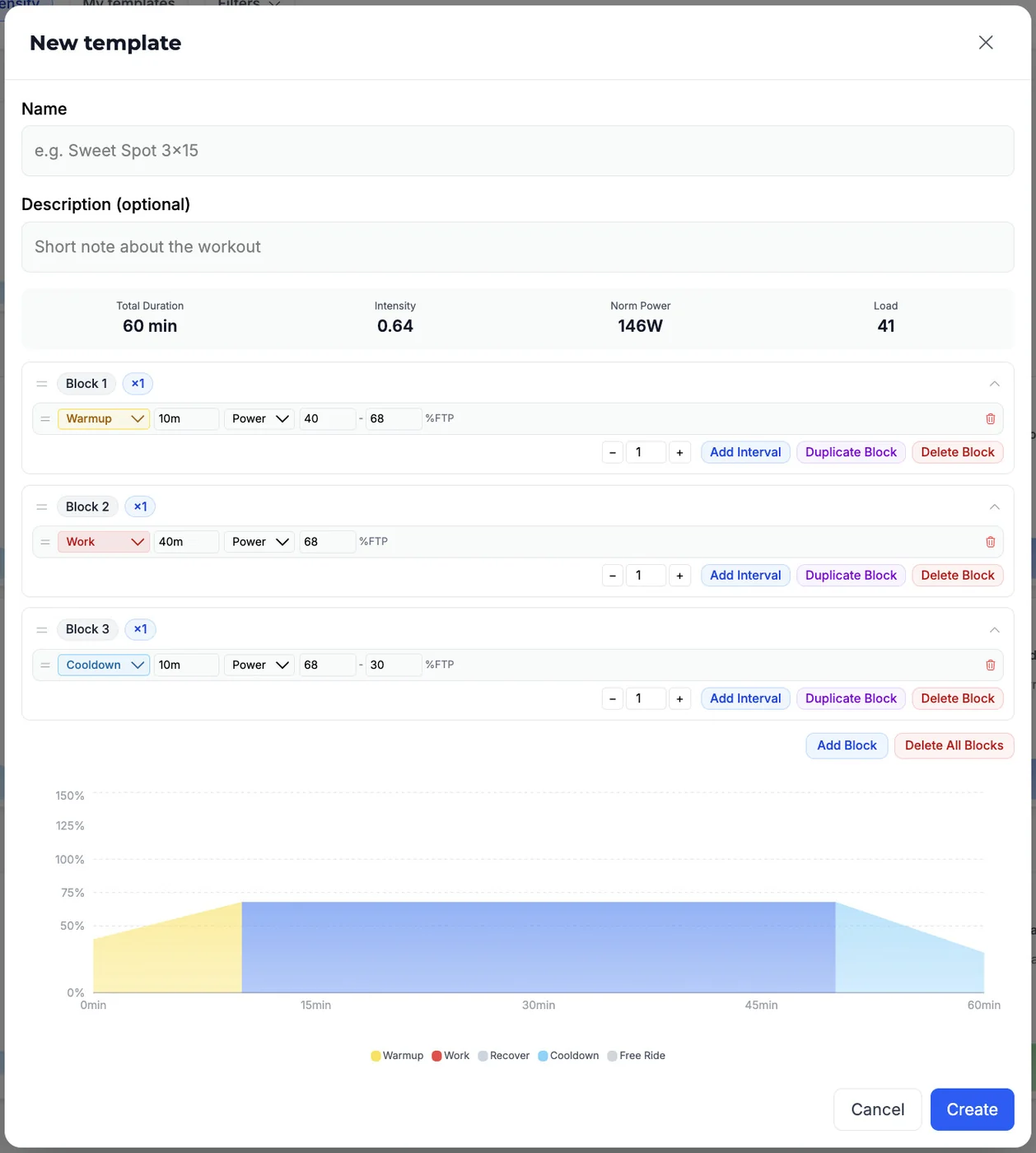
Above the grid, a toolbar lets you search by name, turn on Group by intensity, filter to My templates only, and open Filters for intensity chips, duration buckets, and load buckets. A + New template button opens a builder where you set name, optional description, and intervals (new templates start from a basic endurance scaffold you can edit).
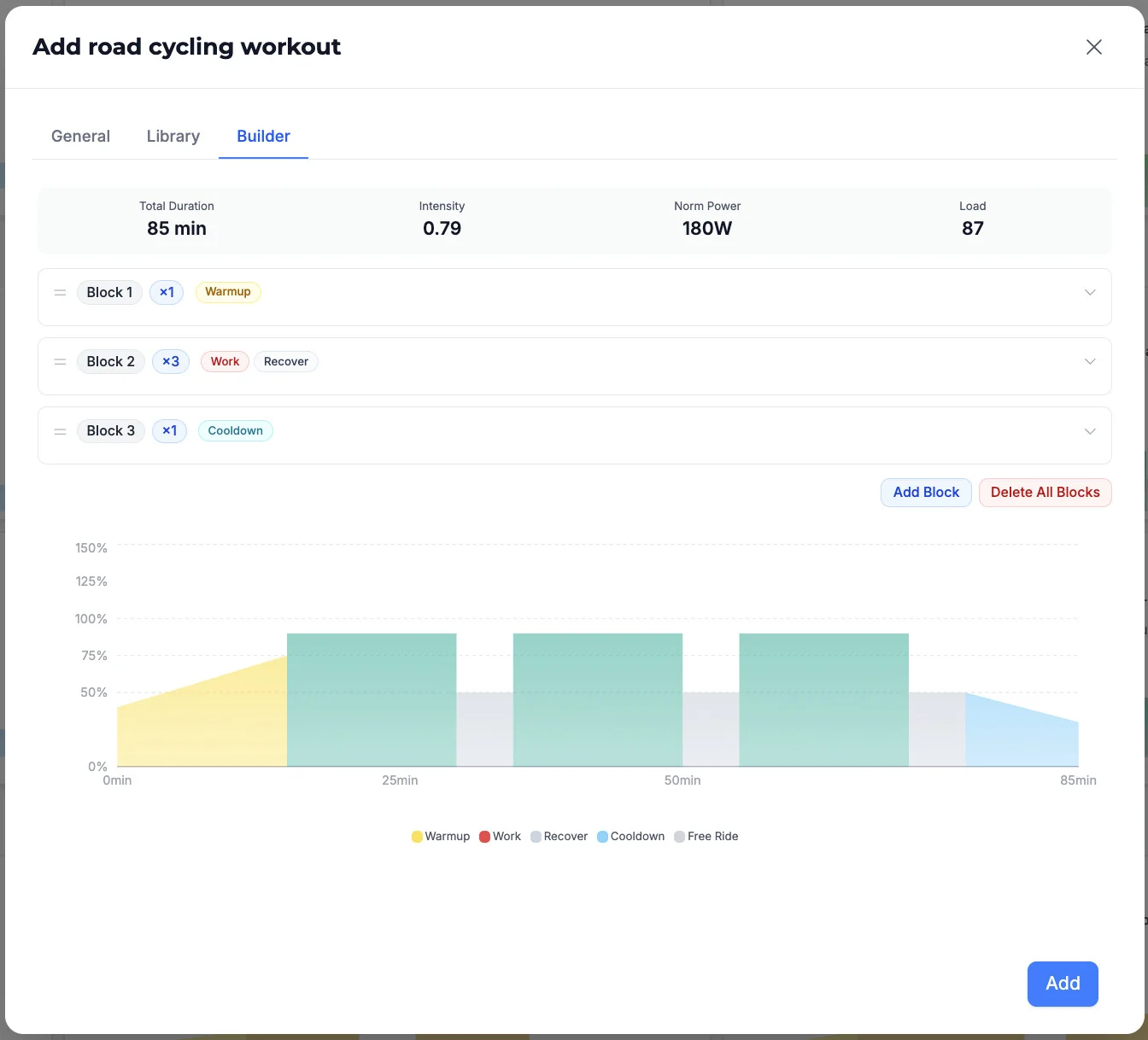
Click any template card to open the same schedule workout flow you use on the calendar, pre-filled with that template's name and intervals for today on your default training plan — adjust the date, recurrence, or details, then save to your plan.
When you save a scheduled workout from a template, Tempo can push the structured session to Garmin, Wahoo, or Hammerhead if you've connected that integration and left Sync planned workouts on in Settings (enabled by default).
You can find the right session by intensity, length, or load instead of rebuilding intervals from scratch, keep a personal set of go-to workouts by cloning and editing starters, and drop a structured ride onto your calendar in a few clicks.
In Tempo on the web, open Training in the main navigation, then stay on the Library tab..
Browse or filter the grid, use + New template to create your own, or Clone to my library on a starter you want to customize. Click a card to schedule that workout; finish in the modal and it lands on your default training plan.