← All posts
Web
iOS
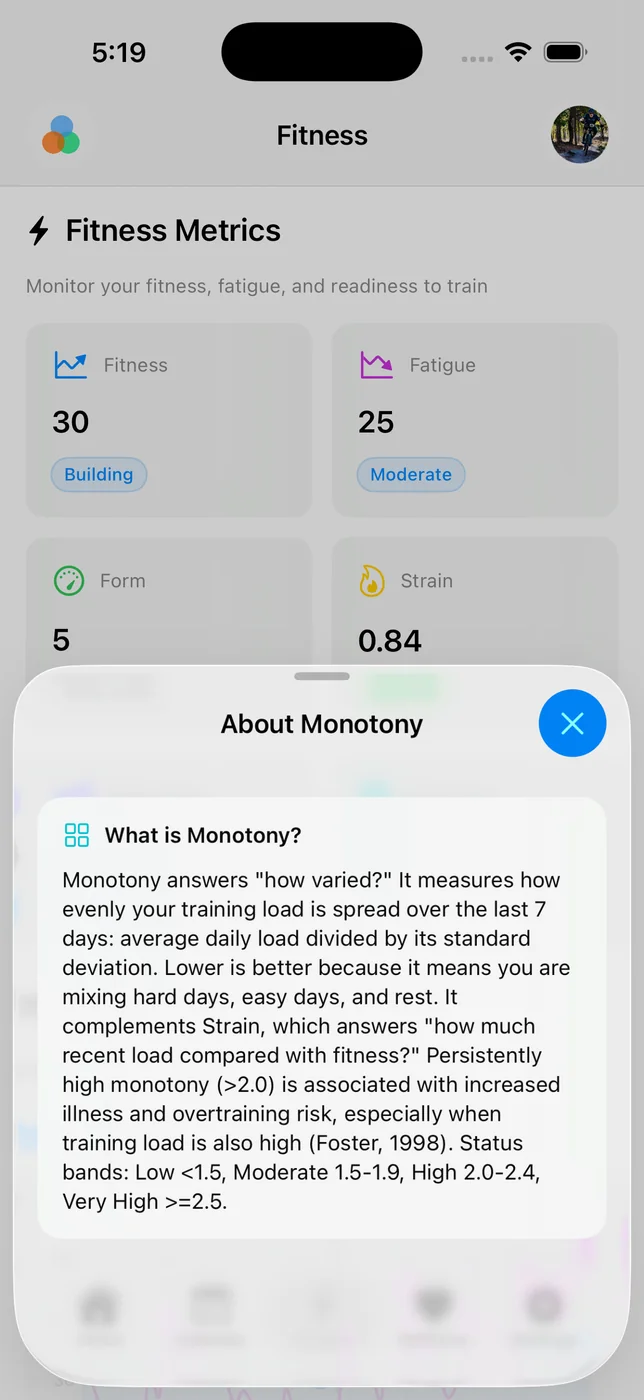
Tempo now shows Monotony, a training variety metric based on your last 7 days of load. It compares your average daily load with how much that load varies day to day, so lower values usually mean a healthier mix of hard days, easy days, and rest.
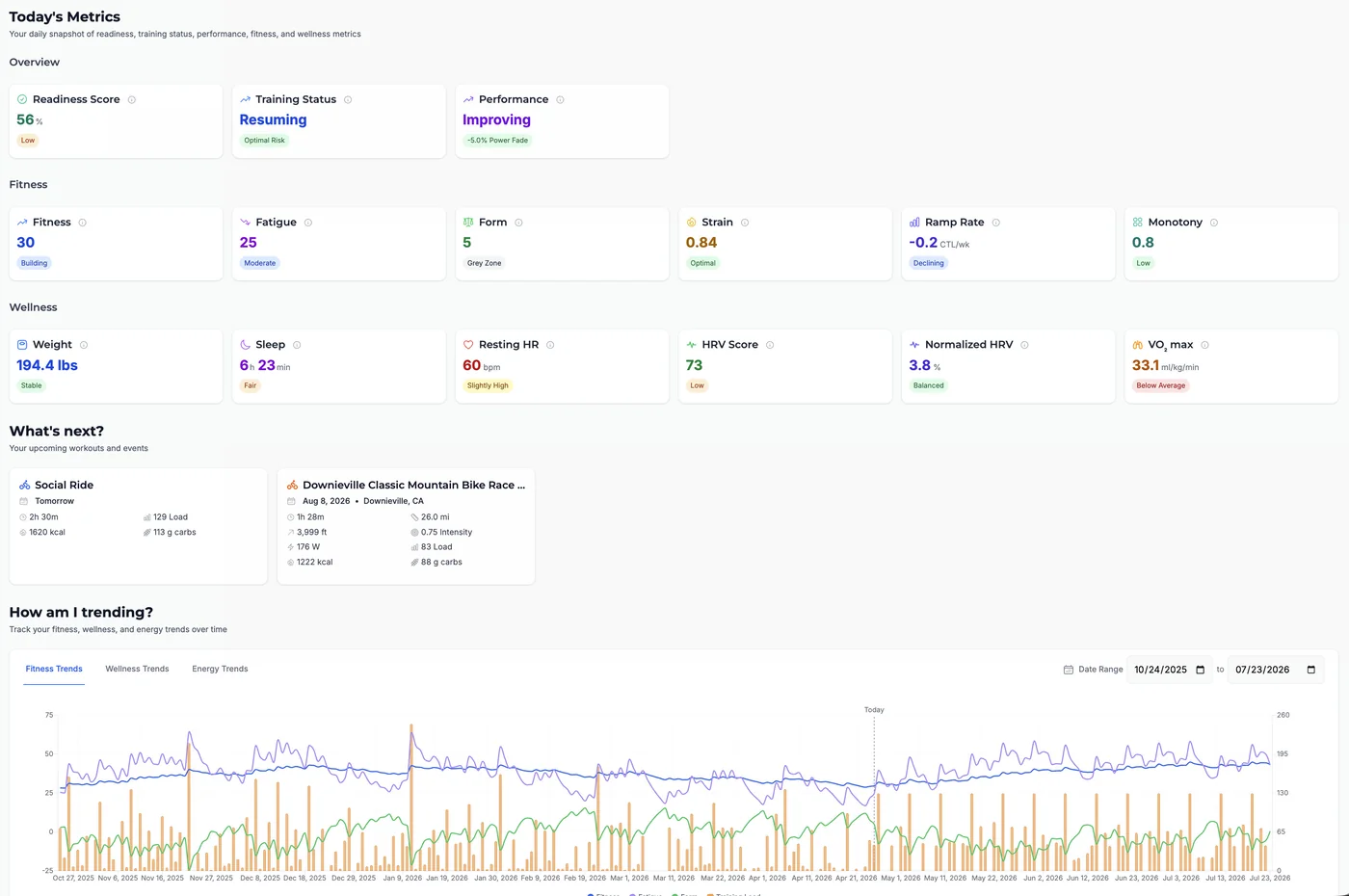
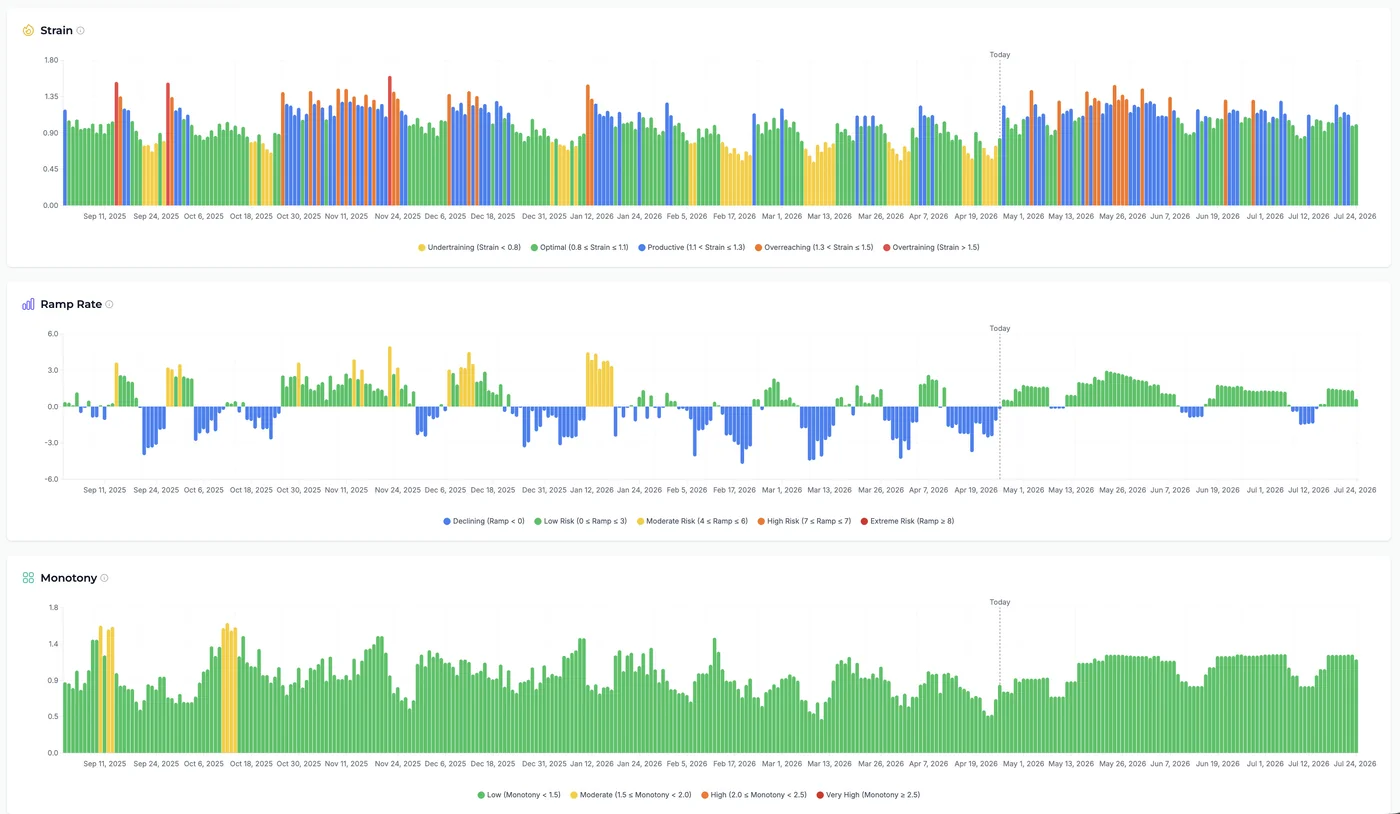
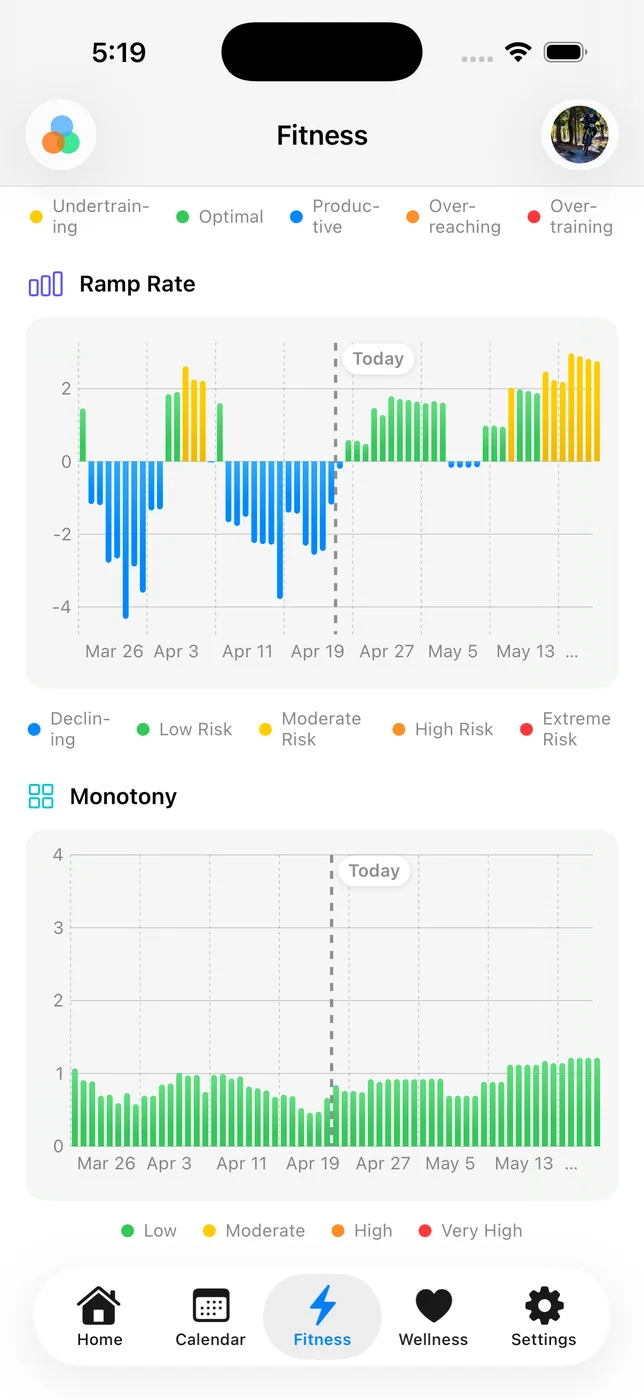
On the web, you'll see Monotony in Today's Metrics with status bands: Low, Moderate, High, and Very High. The Fitness page also has a new Monotony chart with color-coded bars and a "Today" marker.
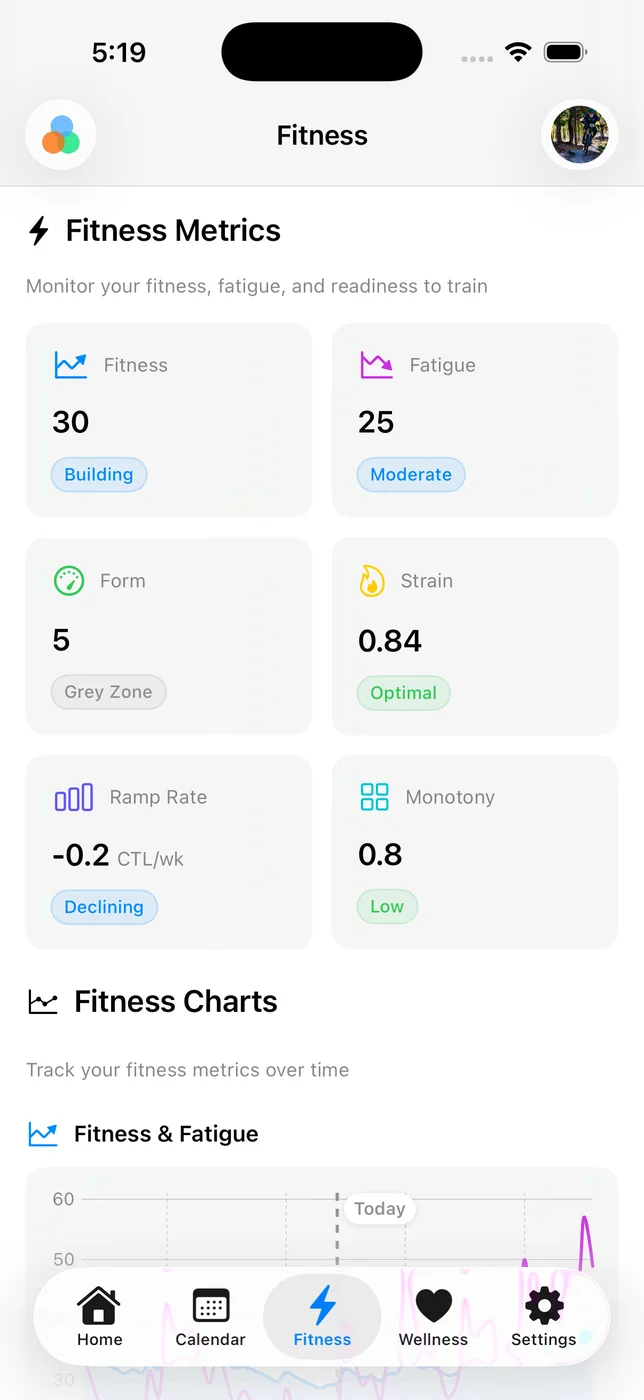
On iOS, Monotony is now available in Fitness as a metric card and chart, using the same status bands so the signal is consistent across platforms.
Training load is not just about how much you do. Repeating similar load every day can raise fatigue and illness risk, especially when total load is high. Monotony gives you a quick signal for whether your week has enough variation before that pattern turns into stale legs or missed sessions.
On the web, open Home and look in Today's Metrics -> Fitness for Monotony. For the full trend, open Fitness and scroll to the new Monotony chart.
On iOS, open Fitness and look for the Monotony card and chart.
Note: Monotony appears once Tempo has at least 7 days of load data.